This project started as a way to extend the functionality of a MIDI grid controller beyond music production and to learn how to build a desktop application in C# using WPF.
I wanted to transform a Launchpad-style device into a fully customizable macro control surface for daily computer use.
The result is MidiMacroPad, a desktop application built in C# using WPF and the NAudio library.
The software allows each pad to trigger fully configurable macros while synchronizing both the UI and hardware LED feedback in real time.
Each pad can be configured with:
- Keyboard shortcuts (including combinations like Ctrl+Shift+Key)
- Text input automation
- Process launching
- URL or directory opening
- Delays for chained macro execution
- System power controls (shutdown, restart, sleep)
- Volume control with real-time mute state synchronization
- Media controls (play/pause, stop, next, previous)
- Page switching with automatic dynamic page creation
- Automated screenshot capture with timestamped file naming
One of the more advanced aspects of this project is the toggle + loop macro system.
Pads can operate in momentary mode, toggle mode, or continuous loop mode using asynchronous task execution with cancellation tokens.
This required careful handling to avoid blocking the UI thread while keeping LED feedback responsive.
The application also supports:
- Multi-page pad configurations stored in JSON
- Per-pad RGB LED customization
- Hardware 6-bit color scaling for MIDI SysEx communication
- Real-time audio mute state monitoring via MMDevice API
- Copy & paste functionality for rapid macro duplication
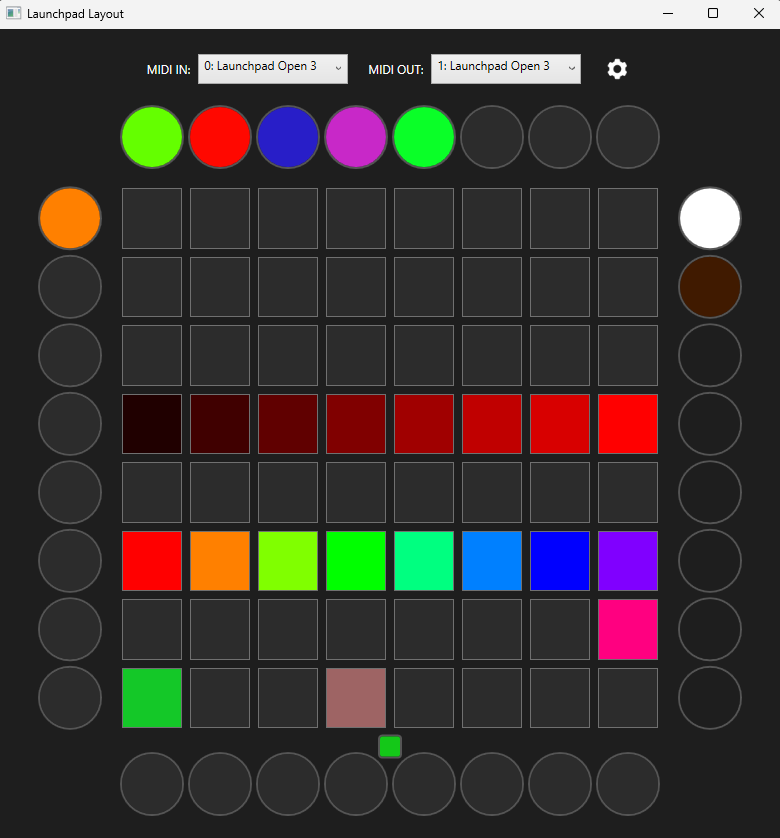
The LED communication is handled using custom SysEx MIDI messages, allowing precise control over each individual pad’s RGB values.
UI colors are automatically scaled from 7-bit MIDI values to full 8-bit RGB values for accurate visual representation.
A particular design goal was keeping the system modular and extensible.
The macro execution engine is separated from the UI logic, making it straightforward to add new macro types (such as media control and screenshot automation) without restructuring the application.
This project combines:
- Low-level Windows API interop (keyboard injection, screen capture)
- Asynchronous programming patterns
- Hardware communication via MIDI
- UI state synchronization
- Structured configuration management using JSON
It has evolved into a powerful productivity tool that bridges hardware interaction and desktop automation, effectively turning a music controller into a programmable control deck.
I plan to publish the project on GitHub once it is fully documented and cleaned for public release.